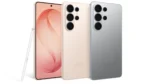
In a world where we check bank apps, private messages, OTPs, and personal photos everywhere — cafés, airports, offices — privacy isn’t optional anymore. With the Galaxy S26 Ultra, Samsung introduces a next-generation Privacy Display feature that could redefine how we use smartphones in public.
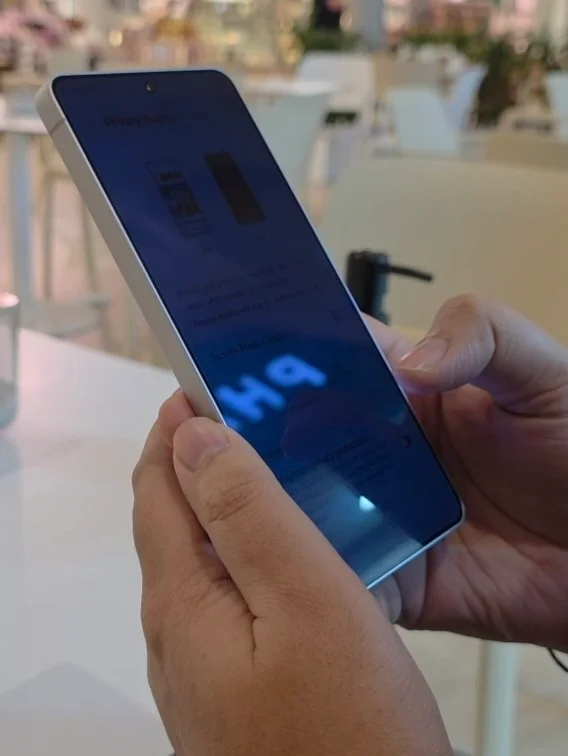
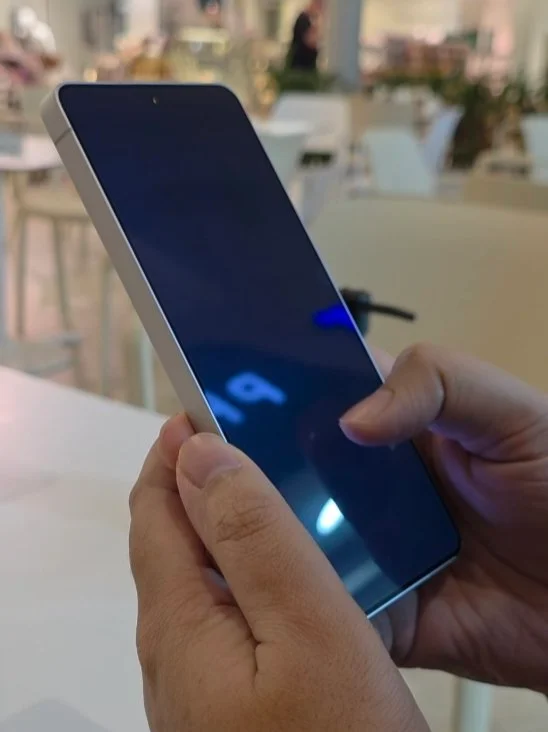
From the two images below, the difference between Standard mode and Maximum Protection mode is immediately noticeable — and it’s impressive.
What Is Galaxy S26 Ultra Privacy Display?
The Privacy Display is an advanced screen protection technology built directly into the Galaxy S26 Ultra’s panel. Unlike traditional stick-on privacy filters, this solution works at the display hardware level, dynamically controlling viewing angles.
Instead of physically blocking side views with a plastic layer, the S26 Ultra electronically adjusts how light is projected from the screen.
🔍 Standard Mode vs Maximum Protection Mode
Standard Viewing Mode
In the first image:
- The screen is visible even from a slight side angle.
- Text and UI elements can still be recognized.
- Brightness and clarity remain normal.
- Ideal for everyday use when you’re not worried about shoulder surfing.
This mode behaves like a regular flagship AMOLED display — sharp, vibrant, and readable from multiple angles.
Maximum Protection Mode
In the second image:
- The screen becomes significantly darker from side angles.
- Content becomes unreadable unless viewed straight-on.
- Even large text or bright UI elements are obscured.
- Perfect for banking apps, passwords, confidential chats, or financial transactions.
This creates a tunnel-vision effect, meaning only the direct user can clearly see what’s on screen.
How It Likely Works
While Samsung hasn’t detailed the exact internal mechanism yet, technologies like this typically use:
- Directional light control layers
- Electrically adjustable micro-louver structures
- Pixel-level brightness steering
- Polarization control
Unlike third-party privacy screen protectors, this solution:
- Doesn’t reduce touch sensitivity
- Doesn’t permanently reduce brightness
- Can be toggled on/off instantly
Why This Matters in Real Life
Think about your daily routine:
- Reading WhatsApp messages in public
- Viewing investment portfolio details
- Logging into bank apps
With traditional displays, anyone beside you can glance at sensitive information. With Maximum Protection enabled, even someone sitting inches away sees a dim, unreadable screen.
For users who frequently use phones in public spaces — like cafés or malls — this is a serious upgrade.
Will It Affect Battery Life?
Most likely:
- Minimal impact in Standard mode.
- Slight extra power draw in Maximum mode due to directional light control.
But considering the S26 Ultra’s large battery (expected flagship-level capacity), the trade-off seems acceptable.
🆚 Privacy Display vs Physical Privacy Screen Protector
| Feature | Built-in Privacy Display | Physical Privacy Filter |
| Toggle On/Off | ✅ Yes | ❌ No |
| Touch Sensitivity | ✅ Full | ⚠️ Slightly reduced |
| Display Clarity | ✅ Adjustable | ❌ Permanently reduced |
| Aesthetics | ✅ Clean | ❌ Adds thickness |
| Cost | Built-in | Extra purchase |
The built-in solution is clearly more elegant and premium.
Who Will Love This?
- Business professionals
- Finance-heavy users
- Travelers
- Anyone concerned about digital privacy
- People who use phones in crowded cities (especially useful in places like cafés, Metro or markets)
Final Thoughts
The Galaxy S26 Ultra Privacy Display isn’t just a gimmick — it’s a practical innovation that solves a real problem.
From the images:
- Standard mode keeps the flagship AMOLED experience intact.
- Maximum Protection mode dramatically limits side visibility.
In 2026, privacy is becoming as important as camera quality or performance. If this feature performs as shown, Samsung may have just created a new flagship standard.